GDPR & Privacy Compliance
Spur Popups has privacy compliance built in. Consent is handled automatically based on visitor location — no manual configuration needed. This guide explains how it works.
Compliance by Default
Spur automatically detects visitor regions and applies the correct consent requirements. EU visitors see unbundled consent. Non-regulated visitors see a simpler experience. You don't need to configure anything.
In this guide
1How Consent Works
Every Spin to Win, Newsletter, and Scratch Card popup includes consent checkboxes for marketing communications. Here's the flow:
- Visitor loads your store page
- Spur detects their region based on IP address
- The popup shows the appropriate consent format (bundled or unbundled)
- Visitor checks the boxes they agree to
- Consent status is saved with their submission data
- Consent data is available in CSV exports and webhook payloads
2Supported Regulations
Spur Popups detects visitors from these regulated regions and automatically applies stricter consent:
GDPR (European Union)
For EU visitors, Spur shows unbundled consent checkboxes. Each marketing channel (email, SMS, WhatsApp) gets its own checkbox. No pre-checked boxes. Visitors must actively opt in to each channel.
CASL (Canada)
Canadian visitors see explicit consent requirements for commercial electronic messages. Clear sender identification is included.
LGPD (Brazil)
Brazilian privacy law compliance with clear consent collection and data processing transparency.
Australia Privacy Act
Australian Privacy Principles compliance for handling personal information.
Non-Regulated Regions
For visitors outside regulated regions (e.g., US, India), Spur uses your configured consent format. If you've selected bundled consent, they'll see a single checkbox. If unbundled, they'll see separate checkboxes.
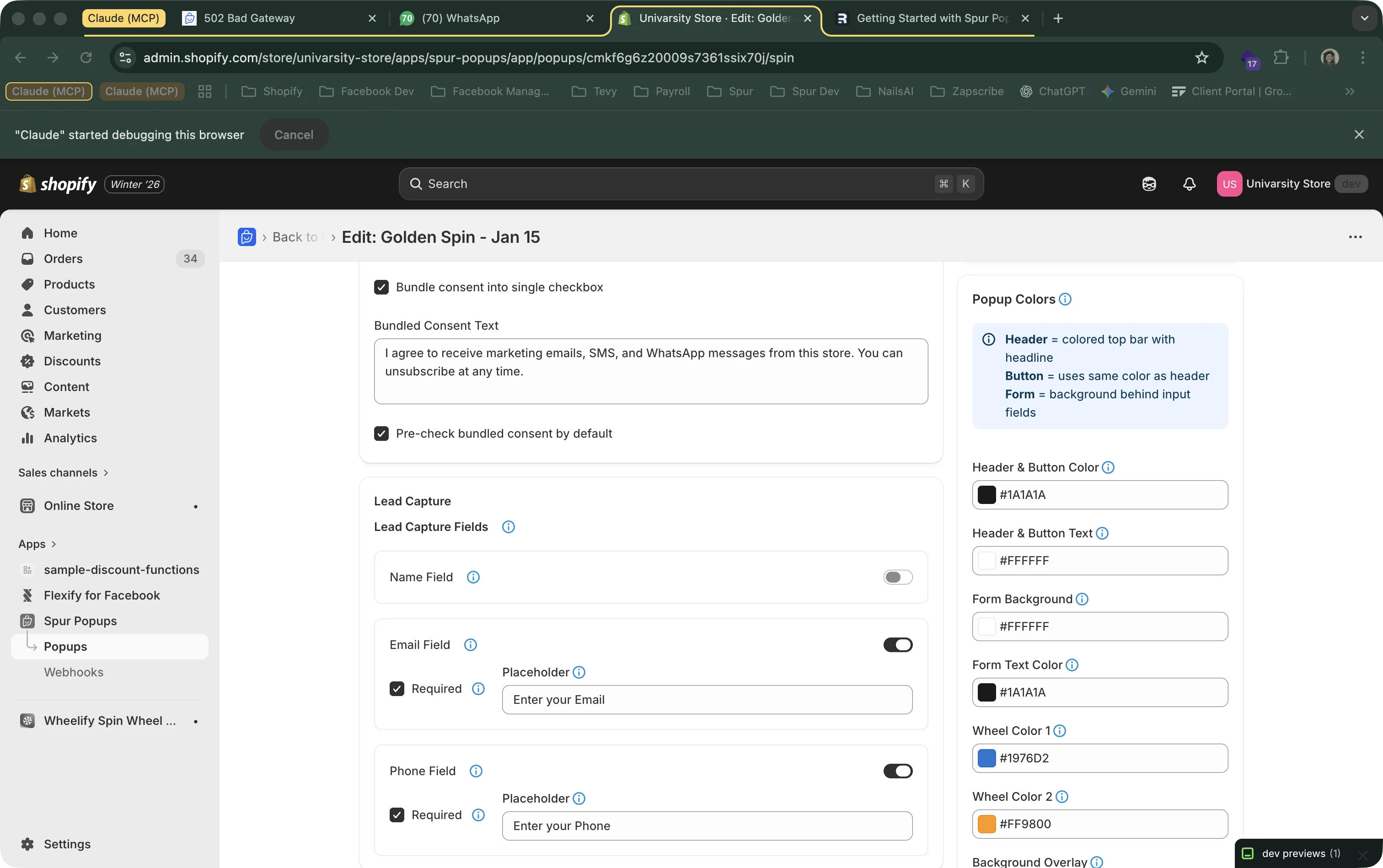
3Bundled vs. Unbundled Consent
You can choose your default consent style in the popup editor. Here's the difference:
Bundled Consent
A single checkbox covering all marketing channels. Simpler for visitors, higher opt-in rate.
"I agree to receive marketing emails, SMS, and WhatsApp messages"
Not allowed in EU, Canada, Brazil, or Australia.
Unbundled Consent
Separate checkboxes per channel. Required in regulated regions. Gives visitors more control.
☐ I agree to receive email marketing
☐ I agree to receive SMS marketing
☐ I agree to receive WhatsApp marketing
Works everywhere. Required in regulated regions.
Automatic Override
Even if you choose bundled consent, Spur automatically switches to unbundled for visitors from regulated regions. This means you can use bundled consent as your default (for a simpler visitor experience) and trust that Spur handles compliance for you when needed.
4Consent Audit Trail
Spur maintains a complete record of consent for each subscriber. If you're ever audited, you can demonstrate exactly what each visitor consented to and when.
What's Recorded
- Timestamp — Exact date and time consent was given
- Channels — Which channels were consented to (email, SMS, WhatsApp)
- Consent text — The exact checkbox text shown to the visitor
- Region — Detected visitor region and IP address
- Popup version — Which popup ID and version was shown
Accessing Consent Data
CSV Export
Export your subscriber data as CSV. Each row includes consent flags for email_marketing, sms_marketing, and whatsapp_marketing.
Webhook Payload
Webhook payloads include a consent object with individual boolean flags for each channel. Use this to sync consent status to your CRM.
5Best Practices
While Spur handles the technical compliance, here are recommendations for staying on the right side of privacy regulations:
Never Pre-Check Consent Boxes
In regulated regions, consent boxes must start unchecked. Spur automatically prevents pre-checking in EU and other regulated regions.
Be Clear About What You're Collecting
Your popup headline and description should clearly tell visitors what they're signing up for. "Get 10% off by joining our mailing list" is better than "Sign up now".
Respect Consent Flags in Your Automation
When using webhooks, check the consent object before sending messages. If whatsapp_marketing is false, don't send WhatsApp messages to that subscriber.
Link to Your Privacy Policy
Spur automatically adds a "Privacy" link to your popups that points to your store's privacy policy. Make sure your Shopify privacy policy is up to date.
Honor Unsubscribe Requests
All marketing messages (email, SMS, WhatsApp) should include clear unsubscribe options. If using Spur automation, this is handled automatically.